

As mentioned in one of my previous blogpost's 'Sitecore JSS: Exploring the SitecoreContext Object', coming from a background in back-end development (mostly doing .NET/C# development), I can certainly say that doing headless Sitecore development has a learning curve, especially when it comes to using new front-end frameworks like React and Next.js, as well as the Sitecore JavaScript Services (JSS) framework.
In this general blogpost, I'll explain to previous Sitecore .NET/C# oriented devs what _JavaScript Object destructuring_is.
In JavaScript, destructuring is a syntax that allows you to easily extract values from arrays or objects and assign them to variables. This can make your code more concise and easier to read, especially when working with complex data structures.
Let's have a look at the previous 'ContentBlock' example where we used the 'useSitecoreContext' hook:
| 1 | import { |
| 2 | Text, |
| 3 | RichText, |
| 4 | Field, |
| 5 | withDatasourceCheck, |
| 6 | useSitecoreContext, |
| 7 | } from '@sitecore-jss/sitecore-jss-nextjs'; |
| 8 | import { ComponentProps } from 'lib/component-props'; |
| 9 | |
| 10 | type ContentBlockProps = ComponentProps & { |
| 11 | fields: { |
| 12 | heading: Field<string>; |
| 13 | content: Field<string>; |
| 14 | }; |
| 15 | }; |
| 16 | |
| 17 | /** |
| 18 | * A simple Content Block component, with a heading and rich text block. |
| 19 | * This is the most basic building block of a content site, and the most basic |
| 20 | * JSS component that's useful. |
| 21 | */ |
| 22 | const ContentBlock = (props: ContentBlockProps): JSX.Element => { |
| 23 | const context = useSitecoreContext(); |
| 24 | return ( |
| 25 | <div className="contentBlock"> |
| 26 | <Text tag="h2" className="contentTitle" field={props.fields.heading} /> |
| 27 | <RichText className="contentDescription" field={props.fields.content} /> |
| 28 | <p>Sitecore context:</p> |
| 29 | <ul> |
| 30 | <li>Sitecore item ID: {context.sitecoreContext.itemId}</li> |
| 31 | <li>Sitecore item language: {context.sitecoreContext.language}</li> |
| 32 | <li>Sitecore site name: {context.sitecoreContext.site?.name}</li> |
| 33 | </ul> |
| 34 | </div> |
| 35 | ); |
| 36 | }; |
| 37 | |
| 38 | export default withDatasourceCheck()<ContentBlockProps>(ContentBlock); |
Now let's apply destructuring to it (as you can see it will result in a minor difference), here is an example of destructuring with the 'useSitecoreContext' hook:
| 1 | import { |
| 2 | Text, |
| 3 | RichText, |
| 4 | Field, |
| 5 | withDatasourceCheck, |
| 6 | useSitecoreContext, |
| 7 | } from '@sitecore-jss/sitecore-jss-nextjs'; |
| 8 | import { ComponentProps } from 'lib/component-props'; |
| 9 | |
| 10 | type ContentBlockProps = ComponentProps & { |
| 11 | fields: { |
| 12 | heading: Field<string>; |
| 13 | content: Field<string>; |
| 14 | }; |
| 15 | }; |
| 16 | |
| 17 | /** |
| 18 | * A simple Content Block component, with a heading and rich text block. |
| 19 | * This is the most basic building block of a content site, and the most basic |
| 20 | * JSS component that's useful. |
| 21 | */ |
| 22 | const ContentBlock = (props: ContentBlockProps): JSX.Element => { |
| 23 | // Destructure the sitecoreContext property from the context object |
| 24 | const { sitecoreContext } = useSitecoreContext(); |
| 25 | |
| 26 | return ( |
| 27 | <div className="contentBlock"> |
| 28 | <Text tag="h2" className="contentTitle" field={props.fields.heading} /> |
| 29 | <RichText className="contentDescription" field={props.fields.content} /> |
| 30 | <p>Sitecore context:</p> |
| 31 | <ul> |
| 32 | <li>Sitecore item ID: {sitecoreContext.itemId}</li> |
| 33 | <li>Sitecore item language: {sitecoreContext.language}</li> |
| 34 | <li>Sitecore site name: {sitecoreContext.site?.name}</li> |
| 35 | </ul> |
| 36 | </div> |
| 37 | ); |
| 38 | }; |
| 39 | |
| 40 | export default withDatasourceCheck()<ContentBlockProps>(ContentBlock); |
In this example, the 'useSitecoreContext' hook is used to retrieve the _context_object, which contains information about the current Sitecore context. The sitecoreContext property is then destructured from the context object and assigned to a variable of the same name(line 23/24). This allows the code within the component to reference the sitecoreContext object directly, without having to access it through the context object (line 32-34).
And here's the output of the same component, but then with 'destructuring' applied.
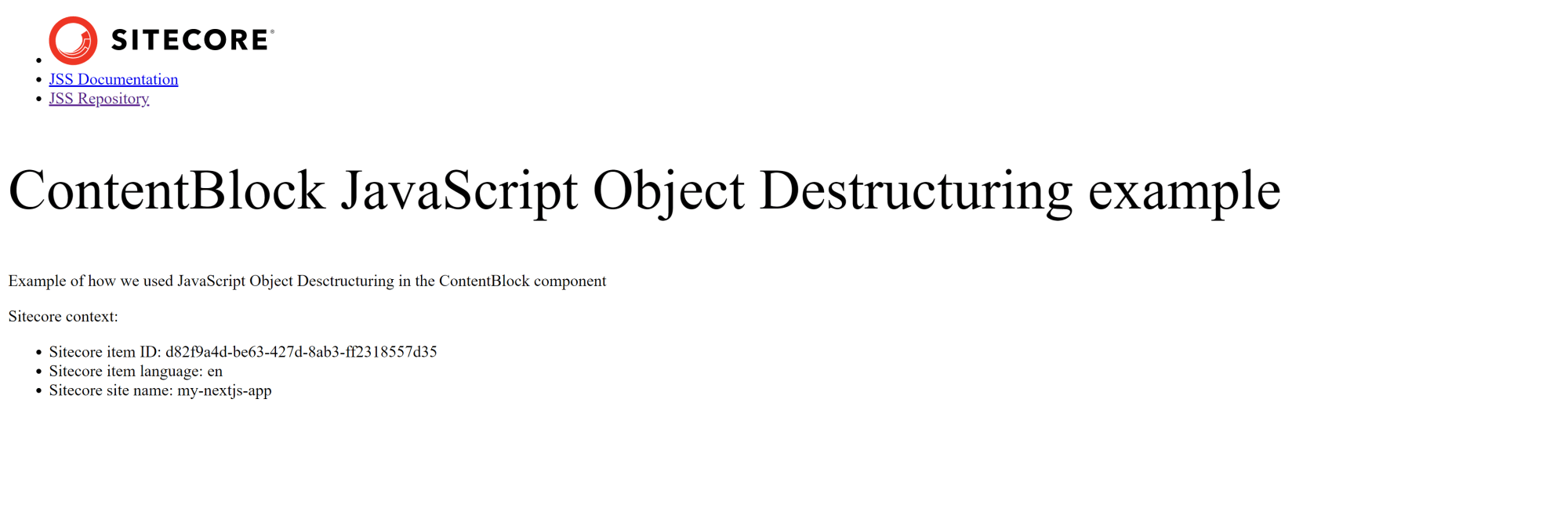
Now this example was a really tiny change in terms of conciseness, but with when having complex data structures it can certainly, as said before, _make your code more concise, shorter and easier to read._And that's JavaScript Object Destructuring explained in combination with Sitecore JSS (even though it's got nothing to do with JSS).
Happy Sitecore-ing!
–Robbert