Sitecore Headless Services comes out of the box with a powerful Dictionary Service and when using _Nextjs/JSS_as the technology for your rendering host you'll get an implementation that interacts with that Dictionary Service API on the Sitecore side. Unfortunately Sitecore isn't offering this implementation when you're using the ASP.NET Core Rendering SDK to build out a Sitecore headless front-end rendering host, so you have to implement it yourself.
In this blog post, I'll guide you through the process of implementing a possible Headless Sitecore Dictionary Service in your ASP.NET Core Rendering Host, leveraging the capabilities of the Sitecore Headless SDK.
Let's first of all have a look at the Dictionary Service that Sitecore is exposing. Sitecore Headless Services provides an API endpoint for retrieving application-specific Dictionary data and can be accessed at the following endpoint:
| 1 | https://[YOUR-SITECORE-HOSTNAME]/sitecore/api/jss/dictionary/<app>/<language>?sc_apikey=[YOUR-API-KEY] |
The documentation of Sitecore is missing out on the ?sc_apikey= parameter, make sure to add that or else you'll be thrown an http 400 error. So when accessing this url for example on a project, you'll get back a JSON response like this (this is the dictionary output out of the box when you're using the 'Getting Started template'to setup your project):
| 1 | { |
| 2 | "lang": "en", |
| 3 | "app": "YOUR_APP_NAME", |
| 4 | "phrases": { |
| 5 | "Documentation": "Documentation", |
| 6 | "GraphQL": "GraphQL", |
| 7 | "Styleguide": "Styleguide", |
| 8 | "styleguide-sample": "This is a dictionary entry in English as a demonstration" |
| 9 | } |
| 10 | } |
So that's all great and out-of-the-box coming from Sitecore at the CM/CD side. But like I said, there's not an out-of-the-box implementation in the headless rendering app with ASP.NET Core when using the 'Getting Started template', so we have to implement it ourselves. Let's have a look at that.
GitHub Kayee Dictionary Service Demo example repository
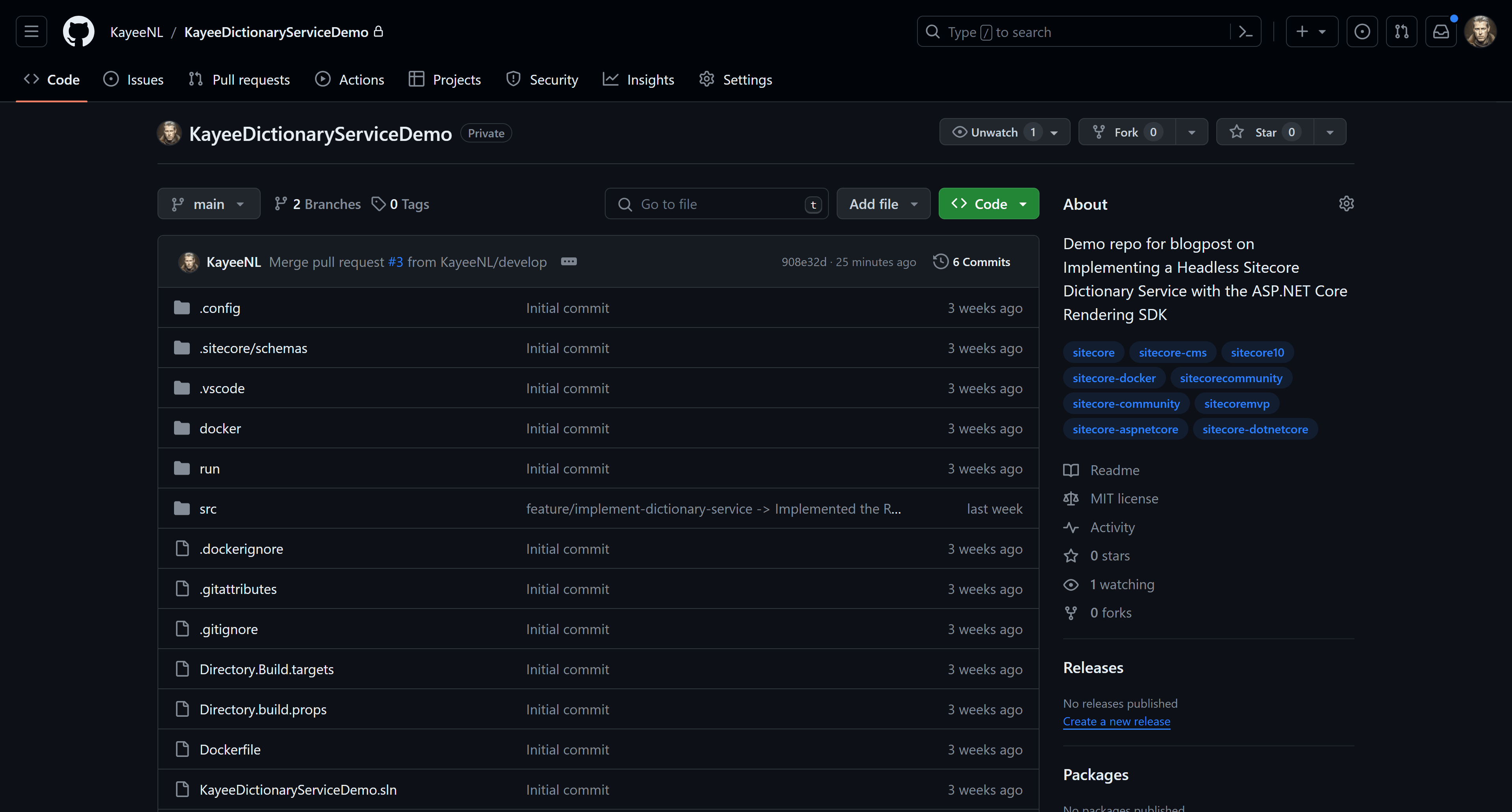
I've setup a demo repo on 'Implementing a Headless Sitecore Dictionary Service with the ASP.NET Core Rendering SDK'. The repo can be found at:
The repository is completely based upon the 'Getting Started template', and offers a complete docker based setup, where I've implemented the Dictionary Service in the rendering host app. So you'll be able to check it out and run it yourself. Check out the readme file for instructions. Let's now walk through the pieces that are part of my implementation. Follow along!
Dictionary Service Options Configuration
When you upon up the Visual Studio solution, you can see that I've first defined my configuration in the appsettings.json file
| 1 | "DictionaryService": { |
| 2 | "SitecoreInstanceUri": "http://cm/", |
| 3 | "ApiKey": "{dba6453f-6a71-4de9-b9c3-36ea77fcc730}", |
| 4 | "SiteName": "KayeeDictionaryServiceDemo", |
| 5 | "CacheDuration": 15 |
| 6 | } |
We need to configure the SitecoreInstanceUri first, since this solution is running from inside a container the call from the Rendering Host app back to the Sitecore CM server happens over an internal url, rather than the external url. Hence the configuration is like:
- "SitecoreInstanceUri": "http://cm/"
When running the Rendering Host from within Visual Studio itself (by pressing F5, it uses the external url for the CM Server), and therefore you then would need to change it to:
- "SitecoreInstanceUri": "https://cm.kayeedictionaryservicedemo.localhost/"
Next to that we need to configure the API Key, the Sitename and we also provide a caching duration of 15 minutes, the duration for how long the Dictionary Service data will be cached inside the Rendering Host app. More on that later on in this blogpost. Now with the configuration setup let's have a further look.
I've setup a _DictionaryServiceOptionsConfiguration_class, which basically has properties for the configuration options
| 1 | namespace KayeeDictionaryServiceDemo.Configuration |
| 2 | { |
| 3 | public class DictionaryServiceOptionsConfiguration |
| 4 | { |
| 5 | public static readonly string Key = "DictionaryService"; |
| 6 | public string SitecoreInstanceUri { get; set; } = default!; |
| 7 | public string ApiKey { get; set; } = default!; |
| 8 | public string SiteName { get; set; } = default!; |
| 9 | public int CacheDuration { get; set; } = default!; |
| 10 | } |
| 11 | } |
IDictionaryService interface
So it basically all comes down to the _IDictionaryService interface_and in the end the class that actually implements this interface. Let's delve a little bit deeper into the key components of my ASP.NET Core implementation:
| 1 | using System.Collections.Generic; |
| 2 | using System.Threading.Tasks; |
| 3 | |
| 4 | namespace KayeeDictionaryServiceDemo.Services.Dictionary.Models |
| 5 | { |
| 6 | public interface IDictionaryService |
| 7 | { |
| 8 | Task<Dictionary<string, string>> FetchDictionaryData(); |
| 9 | } |
| 10 | } |
This interface will serve as the blueprint for fetching and managing dictionary data in the Rendering Host application. Now let's have a look at the implementation.
RestDictionaryService class
As you can see in the RestDictionaryService implementation below the configuration for the DictionaryService is read and used in the various places in the code where it's needed, until in the end the request is made from within the Rendering Host app to the Dictionary Service endpoint on the Sitecore side.
During initialization, it receives an instance of the IMemoryCache interface, which is crucial for caching data, and a set of configuration options defined in the DictionaryServiceOptionsConfiguration class. Here, the service extracts configuration options, such as the API endpoint and cache duration, from the application configuration. It also obtains an instance of the memory cache for efficient data storage.
| 1 | using System; |
| 2 | using System.Collections.Generic; |
| 3 | using System.Net.Http; |
| 4 | using System.Text.Json; |
| 5 | using System.Threading.Tasks; |
| 6 | using KayeeDictionaryServiceDemo.Configuration; |
| 7 | using Microsoft.Extensions.Caching.Memory; |
| 8 | using Microsoft.Extensions.Configuration; |
| 9 | using Microsoft.Extensions.DependencyInjection; |
| 10 | |
| 11 | namespace KayeeDictionaryServiceDemo.Services.Dictionary.Models |
| 12 | { |
| 13 | public class RestDictionaryService : IDictionaryService |
| 14 | { |
| 15 | private readonly IMemoryCache _cache; |
| 16 | private readonly DictionaryServiceOptionsConfiguration _dictionaryOptions; |
| 17 | private readonly HttpClient _httpClient; |
| 18 | |
| 19 | public RestDictionaryService(IServiceProvider serviceProvider, IConfiguration configuration) |
| 20 | { |
| 21 | _dictionaryOptions = configuration.GetSection(DictionaryServiceOptionsConfiguration.Key) |
| 22 | .Get<DictionaryServiceOptionsConfiguration>(); |
| 23 | _cache = serviceProvider.GetRequiredService<IMemoryCache>(); |
| 24 | _httpClient = new HttpClient(); |
| 25 | } |
| 26 | |
| 27 | public async Task<Dictionary<string, string>> FetchDictionaryData() |
| 28 | { |
| 29 | const string language = "en"; |
| 30 | var cacheKey = ConstructCacheKey(language); |
| 31 | |
| 32 | if (_cache.TryGetValue(cacheKey, out Dictionary<string, string> cachedValue)) |
| 33 | { |
| 34 | Console.WriteLine($"Using cached dictionary data for {language} {_dictionaryOptions.SiteName}"); |
| 35 | return cachedValue; |
| 36 | } |
| 37 | |
| 38 | Console.WriteLine($"Fetching dictionary data for {language} {_dictionaryOptions.SiteName}"); |
| 39 | var data = await FetchData<DictionaryEndpointResponse>(GetUrl(language)); |
| 40 | SetCacheValue(cacheKey, data.Phrases); |
| 41 | return data.Phrases; |
| 42 | } |
| 43 | |
| 44 | private void SetCacheValue(string key, Dictionary<string, string> value) |
| 45 | { |
| 46 | var cacheEntryOptions = new MemoryCacheEntryOptions() |
| 47 | .SetAbsoluteExpiration(TimeSpan.FromMinutes(_dictionaryOptions.CacheDuration)); |
| 48 | |
| 49 | _cache.Set(key, value, cacheEntryOptions); |
| 50 | } |
| 51 | |
| 52 | private string ConstructCacheKey(string language) |
| 53 | { |
| 54 | return $"dictionary-{_dictionaryOptions.SiteName.ToLowerInvariant()}-{language}"; |
| 55 | } |
| 56 | |
| 57 | private async Task<T> FetchData<T>(string url) |
| 58 | { |
| 59 | Console.WriteLine($"Fetch data from url {url}"); |
| 60 | var response = await _httpClient.GetAsync(url); |
| 61 | response.EnsureSuccessStatusCode(); |
| 62 | |
| 63 | using (var responseStream = await response.Content.ReadAsStreamAsync()) |
| 64 | { |
| 65 | return await JsonSerializer.DeserializeAsync<T>(responseStream); |
| 66 | } |
| 67 | } |
| 68 | |
| 69 | private string GetUrl(string language) |
| 70 | { |
| 71 | return |
| 72 | $"{_dictionaryOptions.SitecoreInstanceUri}sitecore/api/jss/dictionary/{_dictionaryOptions.SiteName}/{language}?sc_apikey={_dictionaryOptions.ApiKey}"; |
| 73 | } |
| 74 | } |
| 75 | } |
The primary function of the RestDictionaryService is to fetch dictionary data. The FetchDictionaryData method is responsible for this task. This method first checks if the required data is already present in the cache. If cached, it returns the data; otherwise, it makes an HTTP request to the Sitecore Dictionary Service API Endpoint using the FetchData method.
Caching plays a crucial role in optimizing the performance of the Rendering Host application. The SetCacheValue method is responsible for storing fetched data in the memory cache. This method sets a cache entry with a specific expiration time (default to 15 minutes), ensuring that the data is refreshed periodically to keep it up-to-date. In the Rendering Host I've not bothered with cache clearing upon publishing, this therefore means that if a Content Author updates a dictionary item and publishes, it isn't immediately updated in the Rendering Host app, after the caching duration expires it will make a new call with the API Endpoint to get the updated phrases from Sitecore.
Dictionary Service Endpoint Response
With that all setup, I've also configured a class that can handle the JSON response that's coming from the API Endpoint, which is used in the above RestDictionaryService class.
| 1 | using System.Collections.Generic; |
| 2 | using System.Text.Json.Serialization; |
| 3 | |
| 4 | namespace KayeeDictionaryServiceDemo.Services.Dictionary.Models |
| 5 | { |
| 6 | public class DictionaryEndpointResponse |
| 7 | { |
| 8 | [JsonPropertyName("lang")] public string Lang { get; set; } |
| 9 | |
| 10 | [JsonPropertyName("app")] public string App { get; set; } |
| 11 | |
| 12 | [JsonPropertyName("phrases")] public Dictionary<string, string> Phrases { get; set; } |
| 13 | } |
| 14 | } |
DI Service Registration
| 1 | using KayeeDictionaryServiceDemo.Services.Dictionary.Models; |
| 2 | using Microsoft.Extensions.DependencyInjection; |
| 3 | |
| 4 | namespace KayeeDictionaryServiceDemo.Services.Dictionary.Extensions |
| 5 | { |
| 6 | public static class DictionaryServiceExtensions |
| 7 | { |
| 8 | public static IServiceCollection AddDictionaryService(this IServiceCollection services) |
| 9 | { |
| 10 | services.AddScoped<IDictionaryService, RestDictionaryService>(); |
| 11 | return services; |
| 12 | } |
| 13 | } |
| 14 | } |
The primary purpose of DictionaryServiceExtensions class is to simplify the process of configuring dependency injection for the dictionary service. The AddDictionaryService method extends the IServiceCollection interface and registers the RestDictionaryService as an implementation for the IDictionaryService interface.
In the startup class _(in Startup.cs),_I'm leveraging this extension to enhance the DI container with the Dictionary Service. By invoking the AddDictionaryService method, the application gains access to the dictionary service throughout its components, promoting a clean and modular design.
| 1 | services |
| 2 | .AddDictionaryService() |
| 3 | .AddSitecoreLayoutService() |
| 4 | .AddHttpHandler(handler.Name, handler.Uri) |
| 5 | .WithRequestOptions(request => |
| 6 | { |
| 7 | foreach (var entry in handler.RequestDefaults) |
| 8 | request.Add(entry.Key, entry.Value); |
| 9 | }) |
| 10 | .AsDefaultHandler(); |
Wrapping model around the Dictionary Service
| 1 | using System; |
| 2 | using System.Collections.Generic; |
| 3 | using System.Threading.Tasks; |
| 4 | |
| 5 | namespace KayeeDictionaryServiceDemo.Services.Dictionary.Models |
| 6 | { |
| 7 | public class DictionaryModel |
| 8 | { |
| 9 | private readonly Lazy<Task<Dictionary<string, string>>> _dictionaryDataTask; |
| 10 | |
| 11 | public DictionaryModel(IServiceProvider serviceProvider) |
| 12 | { |
| 13 | ServiceProvider = serviceProvider ?? throw new ArgumentNullException(nameof(serviceProvider)); |
| 14 | _dictionaryDataTask = new Lazy<Task<Dictionary<string, string>>>(FetchDictionaryDataAsync); |
| 15 | } |
| 16 | |
| 17 | protected IServiceProvider ServiceProvider { get; } |
| 18 | |
| 19 | private Dictionary<string, string> DictionaryData => _dictionaryDataTask.Value.Result; |
| 20 | |
| 21 | private async Task<Dictionary<string, string>> FetchDictionaryDataAsync() |
| 22 | { |
| 23 | var dictionaryService = ServiceProvider.GetService(typeof(IDictionaryService)) as IDictionaryService; |
| 24 | return await dictionaryService?.FetchDictionaryData() ?? new Dictionary<string, string>(); |
| 25 | } |
| 26 | |
| 27 | public string GetDictionaryPhrase(string dictionaryKey, string defaultValue) |
| 28 | { |
| 29 | return DictionaryData.GetValueOrDefault(dictionaryKey, defaultValue); |
| 30 | } |
| 31 | } |
| 32 | } |
The _DictionaryModel_utilizes lazy initialization and asynchronous fetching, and is introduced to ensure optimal performance when retrieving dictionary data. The constructor accepts an IServiceProvider, enabling dependency injection for accessing the IDictionaryService. The _GetDictionaryPhrase method_simplifies the process of obtaining translated phrases by key.
See it all in action
| 1 | @using KayeeDictionaryServiceDemo.Services.Dictionary.Models |
| 2 | @model ContentBlock |
| 3 | @inject IServiceProvider ServiceProvider |
| 4 | |
| 5 | @{ |
| 6 | bool isReuse = ViewBag.IsReuse ?? false; |
| 7 | var dictionaryModel = new DictionaryModel(ServiceProvider); |
| 8 | } |
| 9 | |
| 10 | <h1>Here are translations from Dictionary Items:</h1> |
| 11 | <p> |
| 12 | @dictionaryModel.GetDictionaryPhrase("Documentation", "DOCUMENTATION") |
| 13 | </p> |
| 14 | <p> |
| 15 | @dictionaryModel.GetDictionaryPhrase("GraphQL", "GRAPHQL") |
| 16 | </p> |
| 17 | <p> |
| 18 | @dictionaryModel.GetDictionaryPhrase("Styleguide", "STYLEGUIDE") |
| 19 | </p> |
| 20 | <p> |
| 21 | @dictionaryModel.GetDictionaryPhrase("styleguide-sample", "STYLEGUIDE-EXAMPLE") |
| 22 | </p> |
| 23 | |
| 24 | |
| 25 | |
| 26 | @if (isReuse) |
| 27 | { |
| 28 | <div class="col-sm"> |
| 29 | <div class="contentDescription"> |
| 30 | <sc-text asp-for="Content"/> |
| 31 | </div> |
| 32 | </div> |
| 33 | } |
| 34 | else |
| 35 | { |
| 36 | <h2 class="display-4" asp-for="Heading"></h2> |
| 37 | <div class="contentDescription"> |
| 38 | <sc-text asp-for="Content"/> |
| 39 | </div> |
| 40 | } |
In the solution I've updated the ContentBlock view. The view utilizes the _DictionaryModel_to seamlessly integrate dictionary data into the rendering process. By injecting the _IServiceProvider_and initializing a _DictionaryModel_instance, we can easily call the GetDictionaryPhrase method to get the translated data from Sitecore. And once executed here's how it's displayed
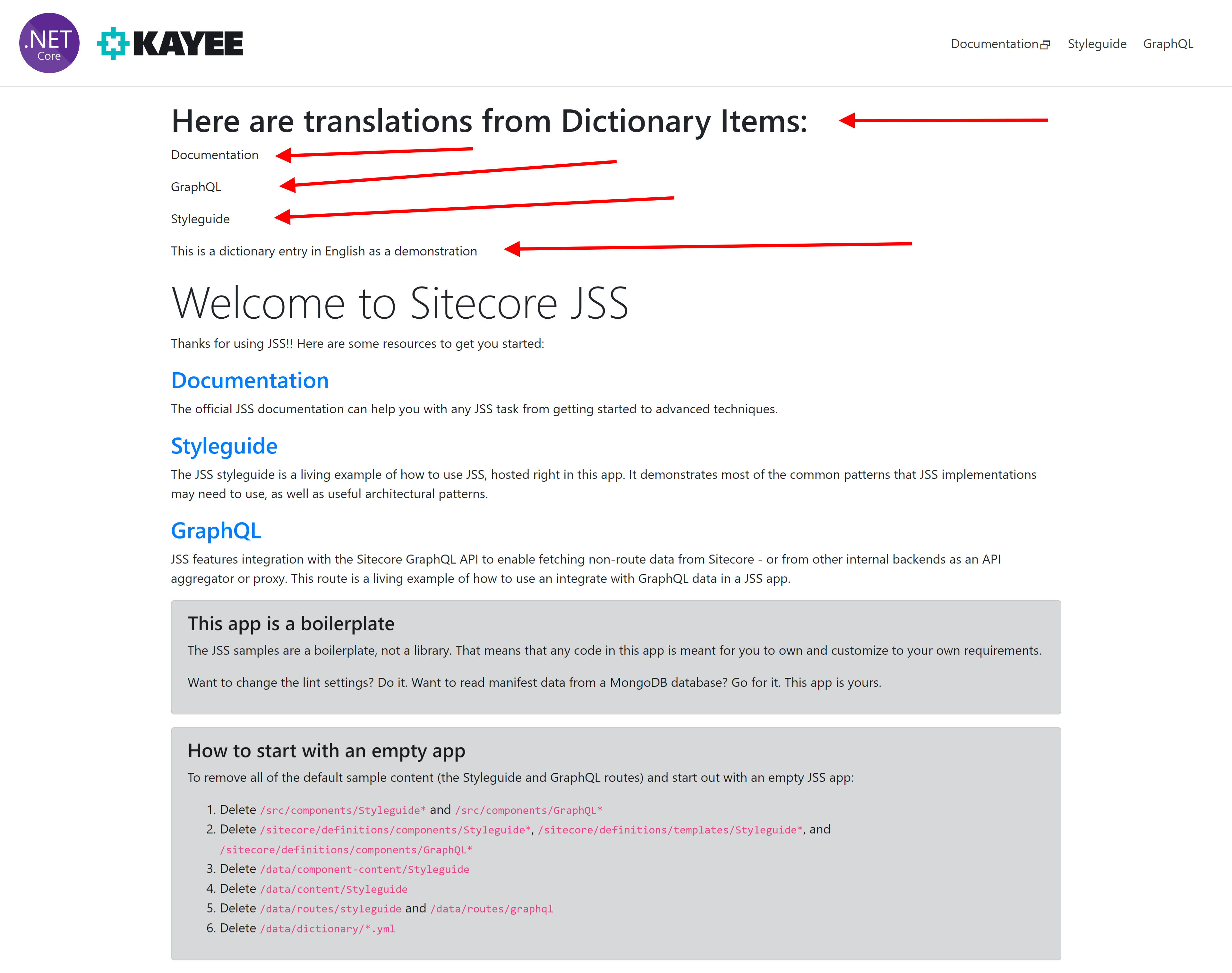
And that's about it. In case you're curious or liked this blogpost, make sure to check out the repo and see it in action yourself:
Happy Sitecore-ing!
–Robbert